
If you have ever tried to count thousands of tiny screws or bolts by hand, you know how easy it is to make a mistake. Hand counting takes a very long time and usually leads to errors that cost your business money. In South African warehouses and factories, speed is essential to keep customers happy and stock levels right.
A counting scale solves this problem by using math to count items in seconds instead of hours. These machines help you stop guessing and start knowing exactly how much stock you have. If your current counting methods are too slow, consider looking at our counting scales for sale to speed up your work.
The Core Mechanics: How Counting Scales Work
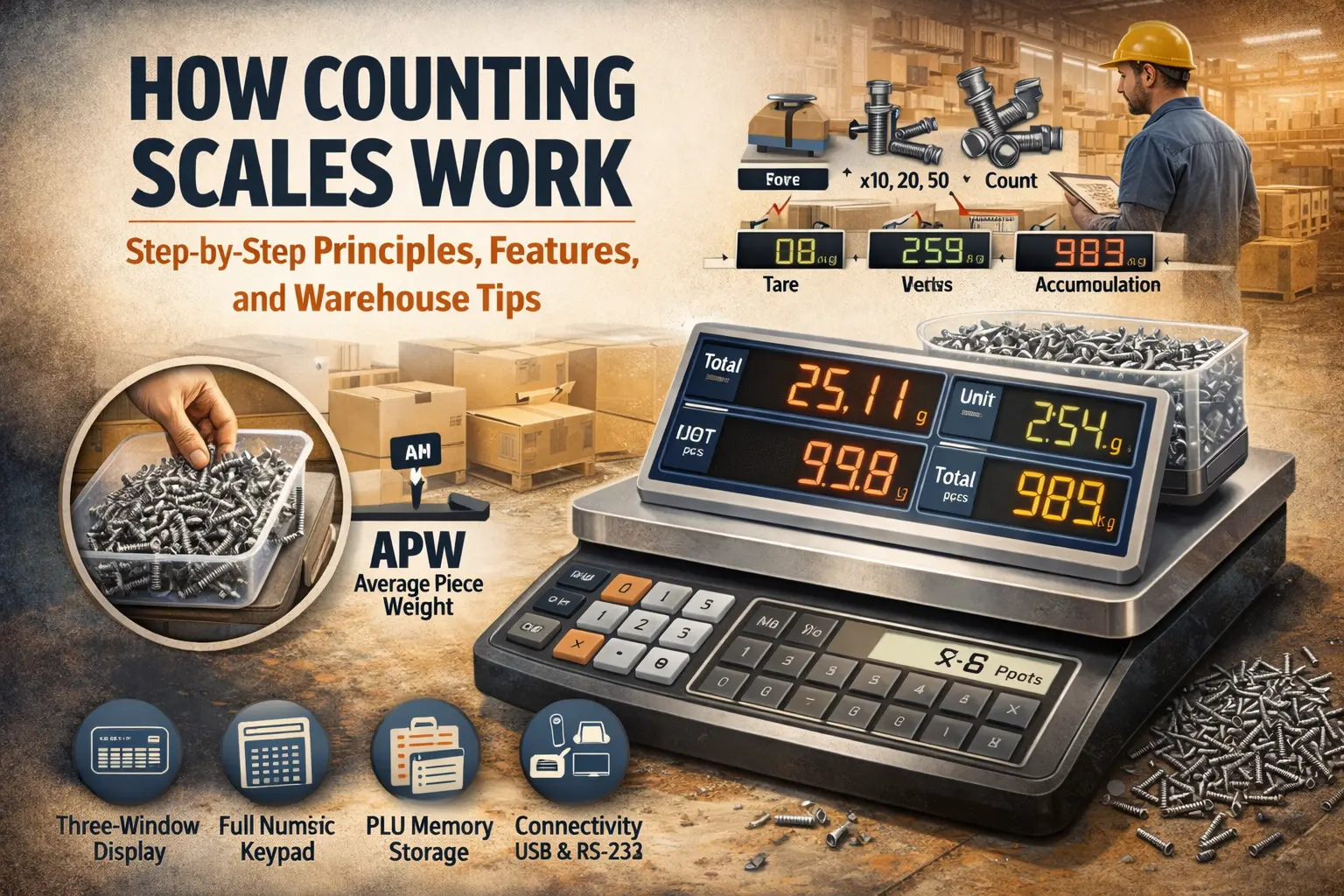
A counting scale does not actually “see” the items you place on it. Instead, it uses a brilliant math formula based on weight. First, the scale learns what one single item weighs. Then it weighs the entire pile of items and divides the total weight by the weight of a single piece.
The result is the total number of items in the pile. For this to work well, the scale needs a very sensitive part called a load cell. This part feels the pressure of the items and turns it into a digital number that the computer brain can understand.
The Science of APW (Average Piece Weight)
The most important part of how these scales work is the Average Piece Weight, or APW. Since no two screws or plastic parts are the same, the scale calculates an average weight. You tell the scale how many pieces you are using for a sample, and it divides you.
Once the APW is set, the scale “remembers” it for the rest of your counting session. This allows you to dump a whole box of parts onto the platform and get a count instantly. If your items are very light, you need a scale with high sensitivity to ensure the APW is accurate.
Technical Deep-Dive: Internal vs. External Resolution
Many people get confused by the two different types of resolution on a scale. External resolution is the number you see on the screen, like 0.1g or 1g. This is the “step” the scale takes when it shows you the weight. Internal resolution is the “hidden” precision inside the scale’s computer.
The internal resolution is much higher than what you see on the display. This extra detail allows the scale to calculate the weight of tiny items, such as a single postage stamp or a small washer. Without high internal resolution, the scale might round off numbers too early and give you a wrong count.
Why the Resolution Ratio Matters
When you choose a scale, you want a high ratio between the internal and external resolution. A standard ratio is 1:600,000, which means the scale’s brain is 600,000 times more precise than the numbers shown on the screen. This is very helpful when you need to count thousands of tiny things.
If the ratio is too low, the scale might miss the weight of one or two items in a big batch. This could result in a customer receiving fewer items than they paid for. At Scales4U, we offer expert calibration to ensure your scale’s resolution and accuracy remain within the required limits.
| Feature | What it Means | Why it Matters |
| External Resolution | The numbers on the screen | Tells the user the weight |
| Internal Resolution | The “hidden” precision | Used for the counting math |
| APW | Average Piece Weight | The base for all counting |
| Load Cell | The weight sensor | Turns pressure into data |
Step-by-Step: How to Use a Counting Scale Correctly
Using a counting scale is a fast way to finish your work, but you must do it in the proper order. Following these five steps ensures that your stock count is perfect every time.
Step 1: The Zero & Stability Check
Before you put anything on the scale, you must make sure it is ready. Place the scale on a flat, steady table that does not shake. Check the level bubble to see if the scale is sitting flat on the ground. Press the Zero button so the screen shows exactly 0.0. This ensures the scale is not adding any “ghost weight” to your count.
Step 2: Engaging the Tare Function
If you are using a bowl, box, or crate to hold your items, the scale needs to ignore its weight. Put the empty container on the platform first. The scale will show how much the box weighs. Press the Tare button, and the screen will go back to 0.0. Now, the scale only measures what you put inside the box, not the box itself.
Step 3: Sampling (The Rule of 10, 20, or 50)
The scale needs to learn the weight of just one item. To do this, count out exactly 10, 20, or 50 pieces by hand and put them on the scale. Tell the scale how many you added by typing the number on the keypad. Using 50 pieces is better than 10 because it helps the scale find a much more accurate Average Piece Weight (APW). A bigger sample means fewer mistakes later.
Step 4: Bulk Counting
Once the scale knows the weight of one piece, you can pour the rest of your items into the container. You do not need to count these by hand! The scale’s computer brain divides the total weight by the sample weight you just set. It will instantly show the final number of items on the screen. This makes counting thousands of bolts or parts very easy and fast.
Step 5: Accumulation
Sometimes you have so many items that they will not all fit on the scale at once. This is where you use the Accumulation feature. You weigh one full box, press the M+ or Add button to save that count, and then empty the box. You then weigh the next batch and add it to the first one. The scale keeps a running total of everything you have counted so far.
If you need a machine that can handle these tasks, you can view our counting scales to find the right fit for your warehouse.
Essential Features to Look For
Choosing the right equipment is about making sure the machine has the tools to make your job faster. When you look at different models, make sure they have these four specific features. If you are not sure which model fits your warehouse best, you can check our industrial accessories to see how different parts work together.
Three-Window Display
A real counting scale should always have three separate display windows on the front. The first window shows the Total Weight, the second shows the Unit Weight (what one piece weighs), and the third shows the Total Count. This is a must-have because it lets you see all your data at once. You don’t have to waste time pressing buttons to switch between screens, which helps you work much faster.
Full Numeric Keypad
Look for a scale that has a keypad with numbers from 0 to 9, just like a calculator. This is very important for manually entering data. If you already know that a specific bolt weighs exactly 5 grams, you can just type “5” into the scale instead of doing a new sample every time. It also makes it very easy to type in the weight of your crates or boxes for the tare function.
PLU (Product Look-Up) Memory
PLU memory is like a phone book for your stock items. It allows the scale to store the weights of hundreds of different items in its internal “brain.” For example, you can save your “Large Brass Screw” as Product #10. The next time you need to count them, you simply type in the product number, and the scale is ready to go. This feature is great for South African businesses that handle a wide range of parts every day.
Connectivity (USB and RS-232 Ports)
In a modern warehouse, you often need to save your data or print it out. Connectivity refers to the ports on the back of the scale that allow it to communicate with other machines. An RS-232 or USB port allows you to connect the scale to a label printer or a computer. This way, you can print a sticker with the exact count and date to stick onto your boxes,
Warehouse Tips for Maximum Efficiency
To get the most out of your counting scale in a busy South African warehouse, you should use the Sample Enhancement method. This means you start with a small sample of 10 pieces, and as you add more items to the pile, the scale recalculates the average weight to make it even more precise.
It is also essential to keep your scale away from big fans or air conditioners. Moving air can push down on the scale and make it read more weight than there actually is. Using these small tips can make your stock-takes go much faster and keep your records accurate.
Preventing “Scale Shock” and Damage
In a fast-moving warehouse, it is easy to drop a heavy crate onto a scale accidentally. This is called Scale Shock, and it can bend the sensitive parts inside the load cell. Always place items gently onto the platform to keep the sensors healthy.
If your warehouse floor is uneven, your readings will be wrong. Most professional scales have adjustable feet and a trim bubble level. Make sure the bubble is centered so the weight is distributed evenly. If your equipment is damaged, our team offers maintenance and repair services to get your business back on track quickly.
Industry Applications: Who Needs a Counting Scale?
Many different businesses in South Africa use these tools every day. In Manufacturing, they are used to count tiny plastic parts, nuts, or bolts before they are sent to assembly lines. In the Printing Industry, workers use them to count hundreds of flyers or business cards without counting each one by hand.
Even in Quality Control, these scales help managers ensure that every box leaving the factory contains the exact number of pieces promised on the label. Using a scale is much more reliable than relying on a human worker to count quickly during a long shift.
| Industry | Primary Use Case | Recommended Feature |
| Manufacturing | Counting hardware & fasteners | High internal resolution |
| Printing | Counting paper & brochures | Accumulation function |
| Logistics | Inventory audits & SKUs | PLU Memory storage |
| Plastic Molding | Batching small parts | Stainless steel platform |
Maintenance, Calibration, and Legal Compliance
A counting scale is a precision tool, so it needs to be looked after. You should wipe the platform daily to remove dust or grease, as even a little bit of dirt can change the weight of tiny items. In South Africa, if you are selling items by count (like selling a bag of 100 screws), your scale must be Trade Approved.
This means it must be verified by a professional to meet legal standards. At Scales4U we provide scale verification services to ensure your business follows the rules and stays “legal for trade.” Regular checks help you avoid fines and keep your customers trusting your brand.
Final Thoughts
Switching from hand counting to using a digital counting scale is one of the best ways to improve your business. It reduces waste, saves time, and gives you a clear picture of your stock levels at all times.
Whether you are a small shop owner or a large factory manager, having the right tool makes the job much easier. If you are ready to upgrade your warehouse setup, you can browse our full range of industrial scales today. Accurate counting is the first step toward a more profitable and organized business.
FAQs
1. Can any digital scale be used to count pieces?
Not exactly. While some standard scales have a basic counting mode, a dedicated counting scale is much better. Regular scales usually only have one screen and lower internal precision. A true counting scale has three screens and a very high internal resolution, which is needed to calculate the weight of tiny items accurately. If you try to count small parts on a standard scale, the final number will often be wrong.
2. What is the smallest item a counting scale can measure?
The smallest item depends on the “readability” of your specific scale. As a general rule, the item you are counting should weigh at least as much as the scale’s smallest display increment.
3. Why does my scale show a “Low Sample” warning?
This warning pops up if the total weight of your sample (the 10 or 20 pieces you put down first) is too light for the sensors to feel clearly. When the sample weight is too low, the scale’s math might not be perfect.
4. Do I need to recalibrate my counting scale if I move it?
Yes, it is a good idea. Even moving a scale from one side of a warehouse to the other can change how it reads. Changes in the level of the floor or even temperature can affect the sensitive load cells. If you move your scale, always check that it is level and perform a quick test with a known weight to make sure it is still correct.
5. What does “APW” mean on the scale display?
APW stands for Average Piece Weight. This is the most important number in the counting process. It is the weight the scale calculated for one single item based on the sample you provided. The scale uses this “Unit Weight” to divide the big pile and tell you the total count. If the APW is wrong, the whole count will be wrong, so always make sure your sample is counted carefully by hand.
3. Why does my scale show a “Low Sample” warning?
This warning pops up if the total weight of your sample (the 10 or 20 pieces you put down first) is too light for the sensors to feel clearly. When the sample weight is too low, the scale’s math might not be perfect.
4. Do I need to recalibrate my counting scale if I move it?
Yes, it is a good idea. Even moving a scale from one side of a warehouse to the other can change how it reads. Changes in the level of the floor or even temperature can affect the sensitive load cells. If you move your scale, always check that it is level and perform a quick test with a known weight to make sure it is still correct.
5. What does “APW” mean on the scale display?
APW stands for Average Piece Weight. This is the most important number in the counting process. It is the weight the scale calculated for one single item based on the sample you provided. The scale uses this “Unit Weight” to divide the big pile and tell you the total count. If the APW is wrong, the whole count will be wrong, so always make sure your sample is counted carefully by hand.