
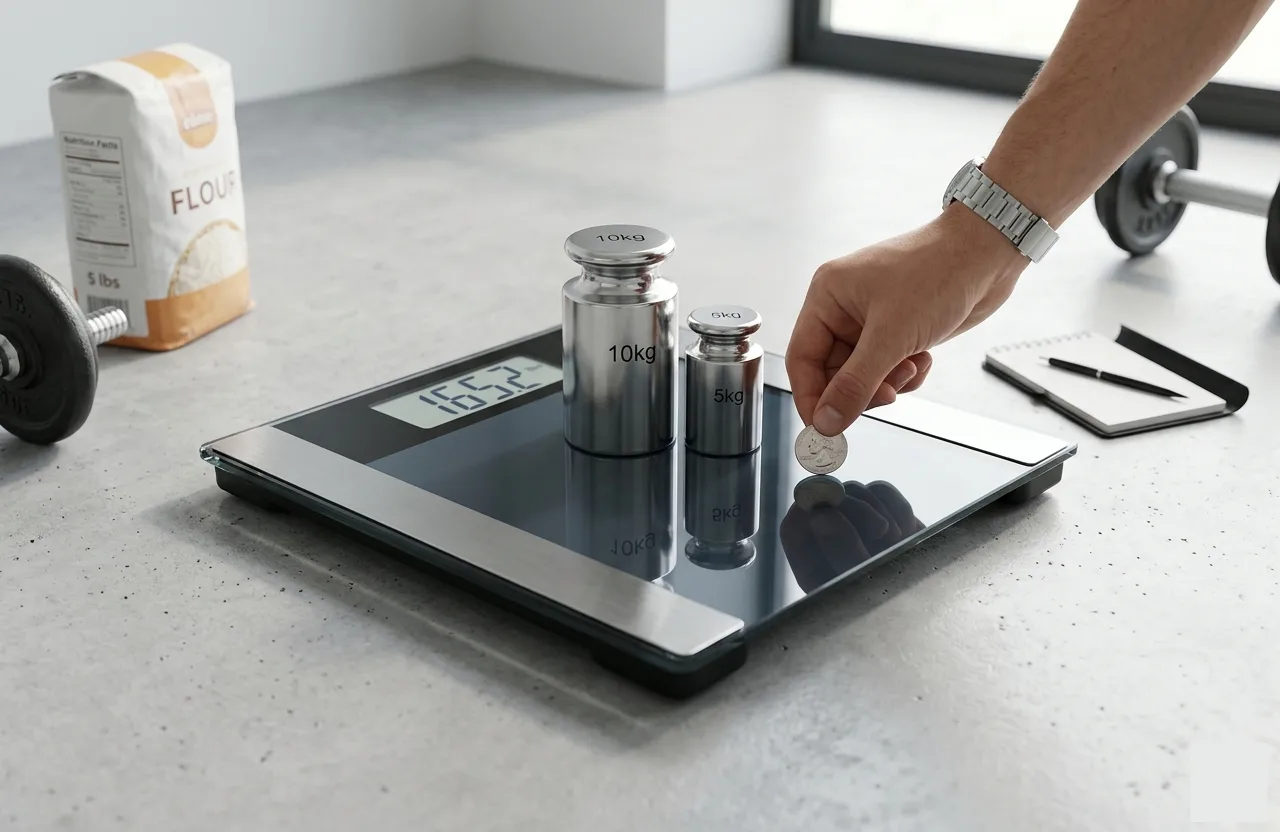
Have you ever stepped on your bathroom scale or weighed ingredients on your kitchen scale and wondered if the numbers were correct? In South Africa, whether you’re tracking your body weight, managing inventory in a small business, or ensuring precise measurements for recipes, scale accuracy is critical. A small error can lead to inconsistent measurements, wasted ingredients, or even costly mistakes in commercial settings.
This guide will show you how to check whether your weight scale is accurate, test digital and mechanical scales, and maintain your equipment for reliable results. We’ll cover known weight tests, consistency checks, proper placement on flat surfaces, and regular calibration, all tailored to ensure your scales deliver accurate measurements every time.
What Is Scale Accuracy?
Scale accuracy refers to how closely your weight scale measures the true body weight or object weight. Accuracy is different from precision. Precision is about consistency, whether repeated measurements give the same result, while accuracy is about how close the measurement is to the actual known weight. For example, if your digital bathroom scale repeatedly shows 2 kg less than a 5 kg dumbbell, it may be precise (consistent readings) but not accurate. Scale inaccuracies can happen due to faulty sensors, weak batteries, wear and tear, or improper placement on uneven floors, carpet, or grout lines.
Understanding accuracy is essential for anyone using home scales, kitchen scales, or digital weight scales in commercial or personal settings. Ensuring accurate measurement not only prevents errors but also prolongs the life of your scale.
How Weighing Scales Work
Weighing scales work by translating physical force into readable numbers. The mechanics differ between mechanical scales and digital scales:
Mechanical Scales
Mechanical scales, like traditional bathroom scales, rely on springs and levers. When you step on the scale, the spring compresses, moving a pointer along a dial. Over time, springs can lose tension due to wear and tear, resulting in wrong readings. Mechanical scales also require manual calibration to maintain accuracy, often using a calibration button or manufacturer instructions.
Digital Scales
Digital scales use internal sensors, typically load cells, to measure weight. These sensors detect pressure and convert it into a 0.0 reading on the scale’s digital display. Common issues with digital scales include faulty sensors, weak batteries, static charge interference, and environmental factors like temperature, humidity, or vibrations. Some digital scales include auto-calibration features, while others require manual calibration using certified weights such as a 1 kg bag of sugar, coins, or dumbbells.
Key Components Affecting Accuracy
- Load cells & internal sensors: Detect weight and generate a signal for the display.
- Scale feet: Uneven feet on hardwood, tile, or concrete floors can cause erratic readings.
- Battery level: Weak batteries may cause fluctuating weight or prevent the digital bathroom scale from displaying 0.0 readings.
- Platform surface: Soft or uneven surfaces like carpet or bumpy floors can distort weight measurements.
Understanding how your scale works helps you diagnose accuracy problems and take the correct steps for recalibration or maintenance.
Top Reasons Your Scale May Be Incorrect
Even a high-quality digital weight scale or mechanical scale can show inaccurate readings if certain factors are overlooked. Understanding these causes helps you troubleshoot and maintain scale accuracy.
Environmental and Placement Issues
A common reason for inaccurate readings is improper placement. Bathroom scales, kitchen scales, and home scales need to sit on a hard, flat surface like tile floors, hardwood, or concrete floors. Placing a scale on carpet, uneven rugs, grout lines, or bumpy floors can produce erratic readings and affect precision. Other environmental factors include temperature fluctuations, humidity, air flow, and vibrations. Even a heater blowing directly onto a scale can interfere with its internal sensors. For digital scales, static charge or electronic interference can also cause fluctuating weight.
Wear, Damage, and Wear-and-Tear
Over time, scales experience natural wear and tear, leading to faulty sensors or loose parts. Mechanical scales may have worn-out springs, while digital scales may experience load cell drift. Cracks in the platform, bent scale feet, or misaligned components can all cause a weight difference between repeated measurements.
Power and Battery Issues
For digital bathroom scales, weak batteries often lead to erratic readings, 0.0 readings, or sudden jumps in the display. Always check and replace batteries as needed. Low battery power can interfere with the internal sensors and reduce accuracy.
Calibration Drift Over Time
Even well-maintained scales can drift from their original calibration. This is common in digital weight scales, mechanical scales, and precision laboratory scales. Regular recalibration using known weight items ensures the scale maintains accurate measurement over time.
Step-by-Step Tests to Know If Your Scale Is Correct
Once you understand potential problems, you can perform simple tests to verify your scale’s accuracy. These tests use certified weights, household items, or repeated measurements to check precision and consistency. If your industrial or commercial equipment fails these tests, you might need to look into hiring a scale while yours is being repaired to avoid downtime.
Zeroing and Initial Setup Test
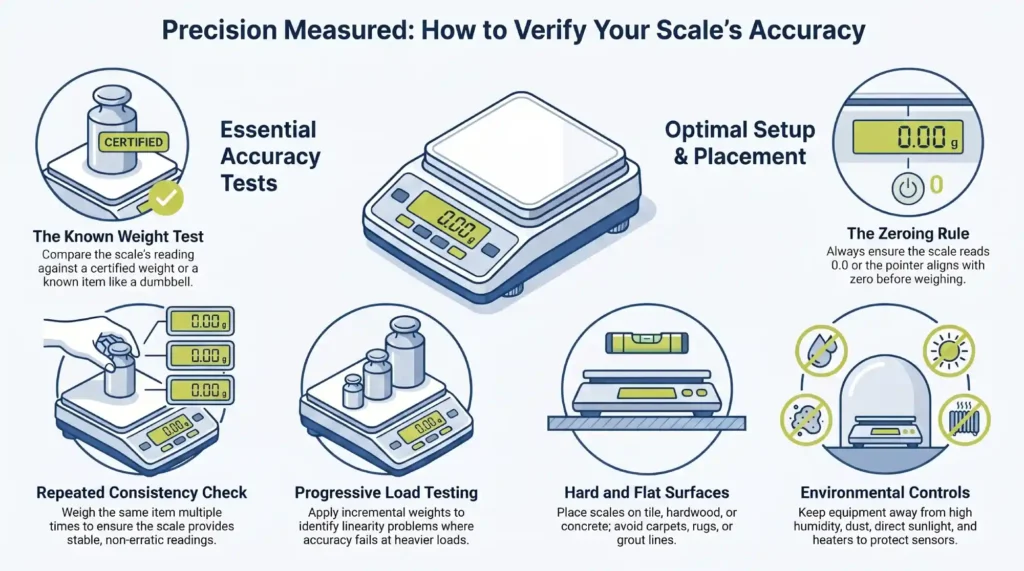
Before using any scale, make sure it reads 0.0.
- For digital scales, use the CAL button, manual calibration, or the auto-calibration function to reset.
- For mechanical scales, ensure the pointer aligns with zero.
- If your scale shows a 0.0 reading that isn’t stable, it may indicate faulty sensors, weak batteries, or an uneven surface.
Zeroing ensures your first measurement starts from a correct reference point.
Known Weight Test (Gold Standard)
Testing your scale with a known weight is the most reliable method. Use items like:
- 5 kg dumbbell or 10 kg dumbbell
- 1 kg bag of sugar or sealed food items
- Coins (e.g., nickels, 5 grams)
Steps:
- Place the item on the scale.
- Check the displayed weight against the known weight.
- If the difference exceeds the scale’s tolerance, recalibrate or service the scale.
For digital scales, always follow manufacturer’s instructions when using calibration tools or certified weights.
Repeated Measurement (Consistency Test)
Even if the scale displays the correct weight once, it may not be consistent.
- Place the same dumbbell, hand weight, or sealed food item multiple times.
- Record each measurement.
- Small variations are normal, but large fluctuations indicate erratic readings or faulty sensors.
Consistency tests are particularly useful for body weight measurements, kitchen scales, and precision lab scales.
Progressive Load Test
For larger scales or commercial equipment:
- Apply incremental weights (e.g., 1 kg, 2 kg, 3 kg, up to the scale’s capacity).
- Compare the measured weight to the expected total.
This test identifies linearity problems where weight scale readings are accurate for light items but inaccurate for heavier loads.
Cross-Surface Test
If you suspect placement issues:
- Test your scale on tile floor, hardwood floor, and concrete floor.
- Avoid carpet, soft dry areas, or uneven rugs.
- Ensure the scale feet are stable and evenly contacting the floor.
Proper Placement and Environmental Considerations
Even a well-calibrated digital weight scale can give wrong readings if the environment is not ideal. Follow these tips:
- Place scales on a hard, flat surface such as a tile floor, hardwood, or concrete floor.
- Avoid placing scales on carpet, uneven rugs, grout lines, or near heaters.
- Keep scales away from high humidity, dust, or direct sunlight.
- For bathroom scales, avoid damp areas that may affect internal sensors or mechanical parts.
By following proper placement rules, you reduce weight measurement errors, erratic readings, and the need for frequent recalibration.
Calibration: What It Is and How to Do It
Calibration ensures that your digital scale, mechanical scale, or precision home scale gives correct measurements relative to a known weight. Over time, load cells, internal sensors, and mechanical components can drift, causing erratic readings or weight differences. Regular calibration helps maintain accuracy and precision.
How to Calibrate a Digital Scale
- Zero the Scale: Press the tare button or use the CAL button to reset to 0.0 reading.
- Use a Known Weight: Place a certified weight, 1 kg bag of sugar, or dumbbell on the platform.
- Adjust Reading: Follow manufacturer instructions to align the display with the actual weight.
- Repeat if Needed: Some scales require multiple calibration steps for heavier weights, such as 5 kg dumbbells or 10 kg black balls.
How to Calibrate a Mechanical Scale
Mechanical scales often have a manual calibration dial or screw. Adjust the pointer to 0.0 without any weight on the platform. Then, place a known weight to confirm proper readings. If the reading is off, repeat the adjustment according to manufacturer instructions.
When to Calibrate
- After moving the scale or placing it on a new surface
- After dropping or bumping the scale
- Monthly for bathroom scales or home use
- Weekly or before important measurements for commercial scales
- Following any unusual readings or fluctuating weight measurements
Regular calibration ensures reliable readings, whether measuring body weight, sealed food items, or heavy weights.
Scale Maintenance, Cleaning, and Care
Keeping your scale in good condition is key for accuracy and longevity.
Tips for Maintenance:
- Wipe surfaces with a soft dry cloth to remove dust and dirt
- Avoid harsh chemicals that may damage internal sensors or mechanical parts
- Check scale feet to ensure stability
- Replace weak batteries promptly in digital scales
- Inspect load cells, springs, and platforms for signs of wear and tear
Proper maintenance reduces the chance of erratic readings and extends the life of your scale.
Troubleshooting Common Scale Errors
| Symptom | Possible Cause | Solution |
| Fluctuating weight | Uneven surface or vibration | Move to hard, flat surface |
| Constant offset | Calibration drift | Recalibrate with known weight |
| No display | Weak battery or electronic fault | Replace battery / service scale |
| Odd or erratic readings | Faulty internal sensors | Check sensors, recalibrate, or replace the scale |
| Inconsistent repeated readings | Loose parts or scale feet issue | Inspect and stabilize the platform |
Following these troubleshooting steps helps identify whether your scale needs recalibration, maintenance, or replacement.
When to Replace Your Weighing Scale
Even with proper calibration and care, some scales may need replacement:
- Persistent erratic readings after calibration
- Worn-out sensors or broken components
- Outdated scales without auto-calibration features
- Scales unable to handle required scale capacity for your measurements
Choosing a high-quality scale ensures accurate measurements for years and reduces maintenance costs.
Frequently Asked Questions
Q: How often should I check my scale for accuracy?
For home use, check monthly. For commercial or heavy-duty scales, weekly or before critical measurements is recommended.
Q: Can I use household items to test my scale?
Yes. Items like a 1 kg bag of sugar, sealed food items, or dumbbells work well for known weight tests.
Q: Why does my scale show different numbers each time?
Causes include uneven surfaces, weak batteries, faulty sensors, or temperature/humidity changes.
Q: How do I zero a scale correctly?
For digital scales, press the tare or CAL button until the display reads 0.0. For mechanical scales, adjust the pointer to zero manually.
Q: What is the acceptable error for a bathroom scale?
Small variations of ±0.5 kg are normal, but commercial and precision scales should be much tighter, depending on calibration standards.
Final Thought
Ensuring your weighing scale is correct is essential for accurate weight measurement, body weight tracking, and commercial operations. By performing known weight tests, consistency checks, proper placement, and regular calibration, you can avoid erratic readings and weight differences.
For South African businesses and home users, Scales4U offers professional calibration services, maintenance, and a wide range of reliable digital and mechanical scales. Whether you need a digital bathroom scale, kitchen scale, or heavy-duty commercial scale, our team ensures accurate measurement every time.